 BudgetDaily
Record spending in a few taps
Today's balance is only as good as what you record. Quick entry is built so that logging a coffee takes less time than paying for it.
Watch it
A recording of the real app with sample data. No sound.
- Tap the minus on an account
- Type the amount
- Tap a category to save
- Hold a category to add details
- See it in the account and the budget
Step by step
One screen at a time
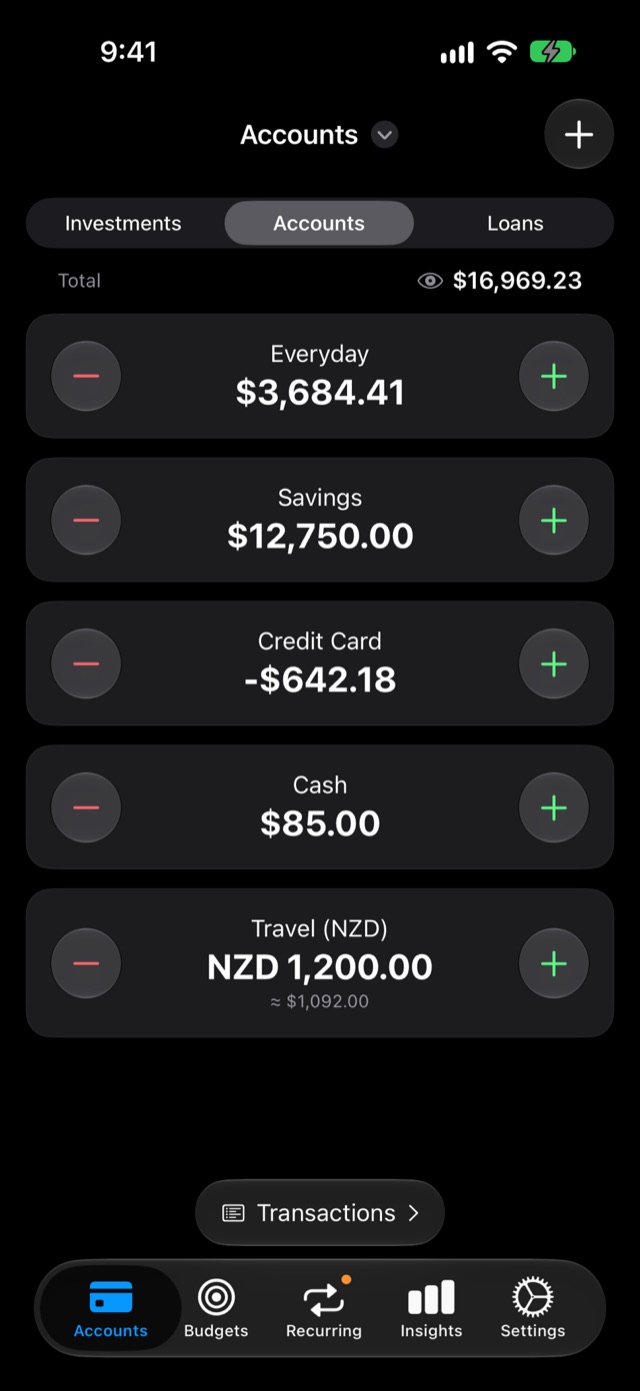
Tap the minus on the account you paid from
Open Accounts. Every account has a red minus on the left and a green plus on the right. Minus records money going out, plus records money coming in.
Type the amount
The number pad is already open. Type the amount the way it appears on your receipt.
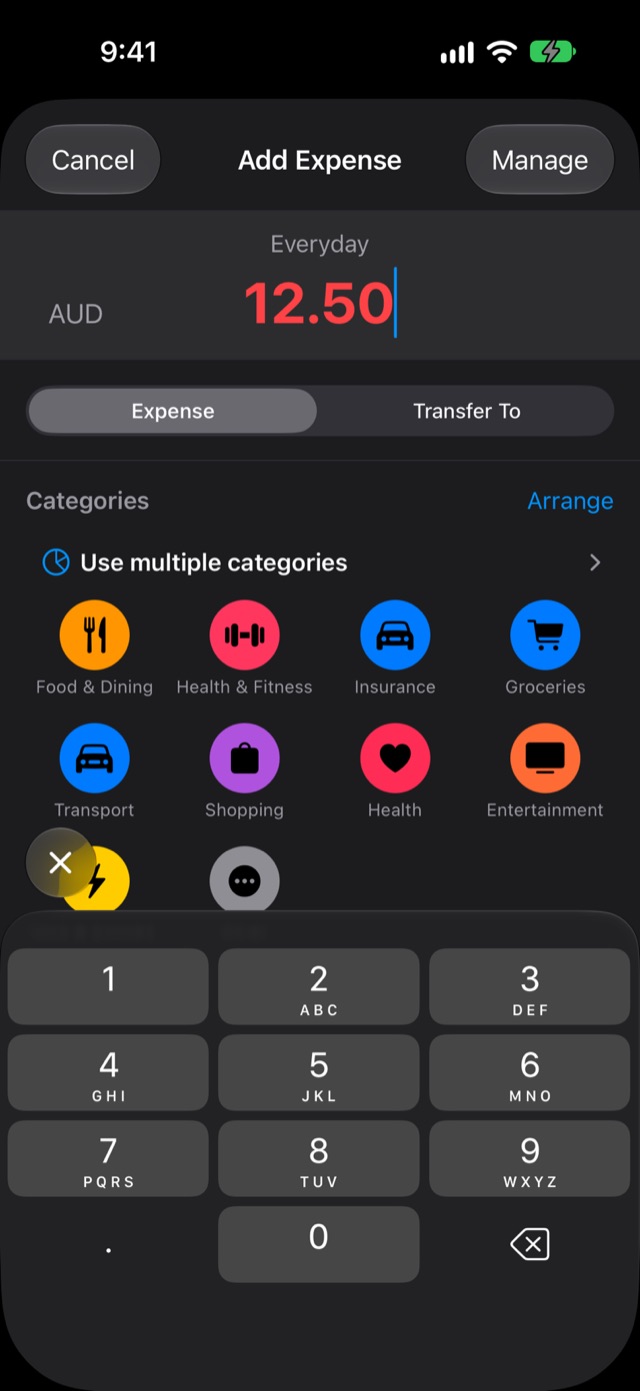
Tap the category
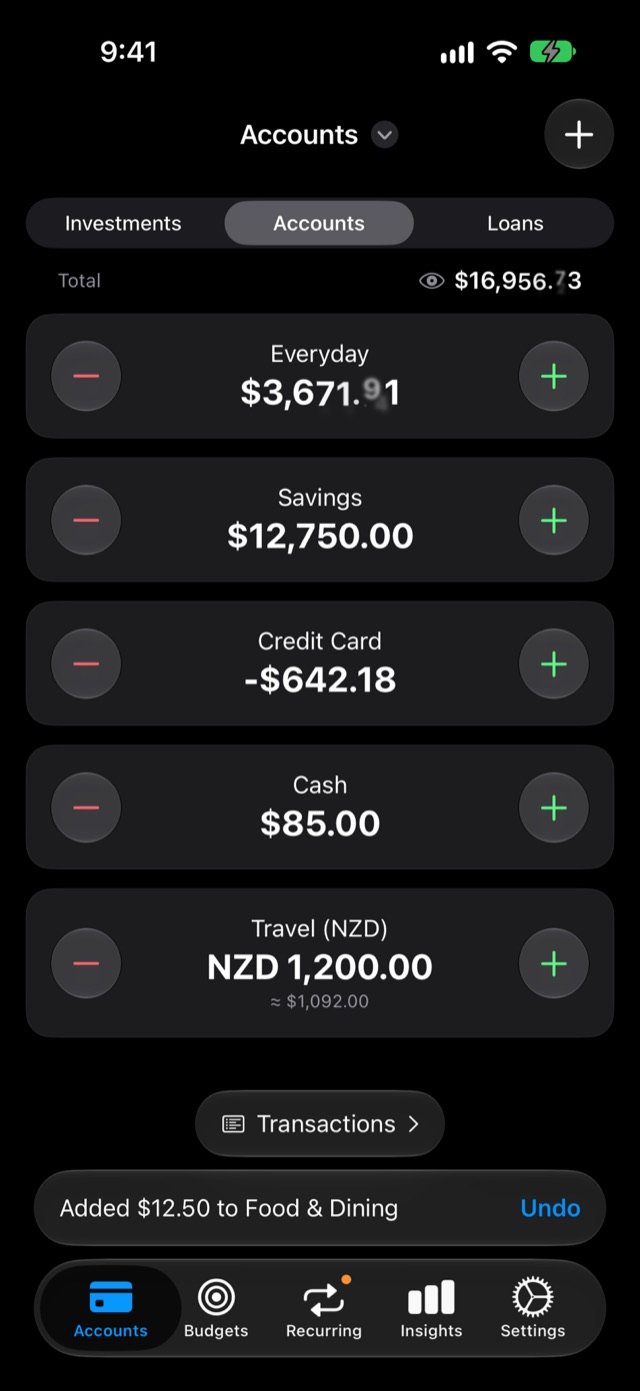
That is the whole entry. The expense is saved the moment you tap a category, and the account balance drops straight away.
Made a mistake? Tap Undo on the notice at the bottom before it disappears.
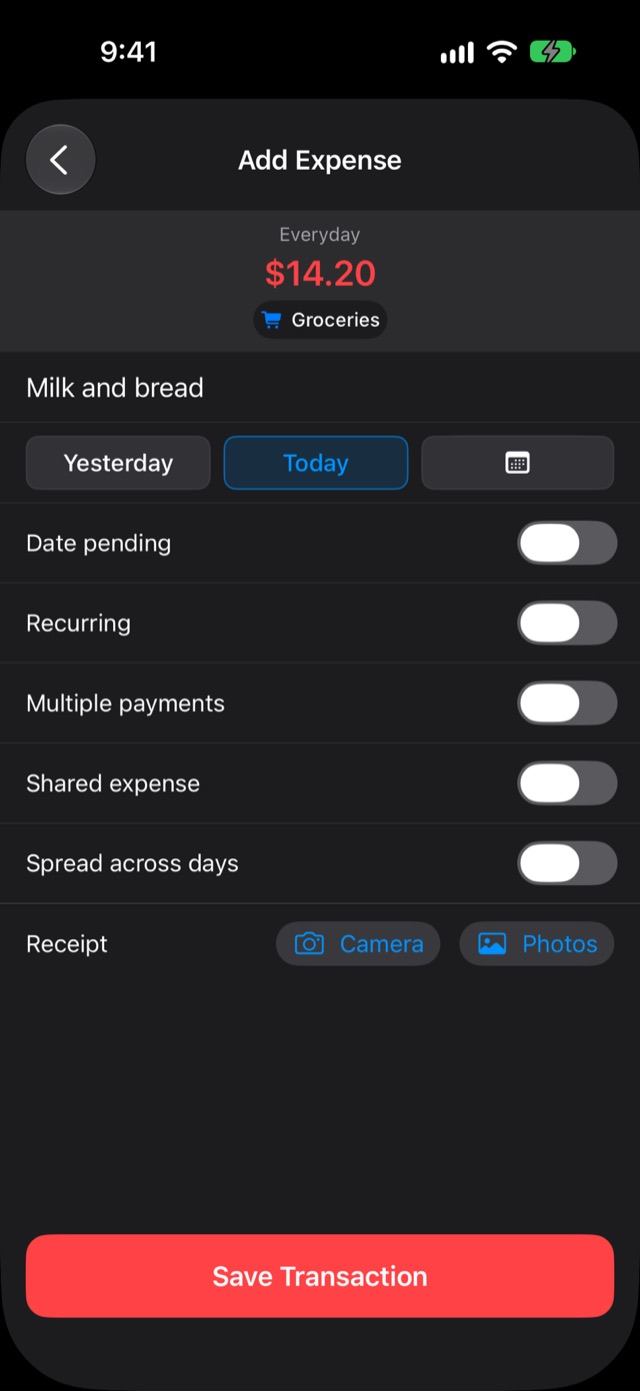
Hold the category when you need more
Press and hold a category to open the full form. Add a note, change the date, or switch on options such as Recurring, Shared expense or Spread across days.
Tap Save Transaction when you are done.
Check it in the account
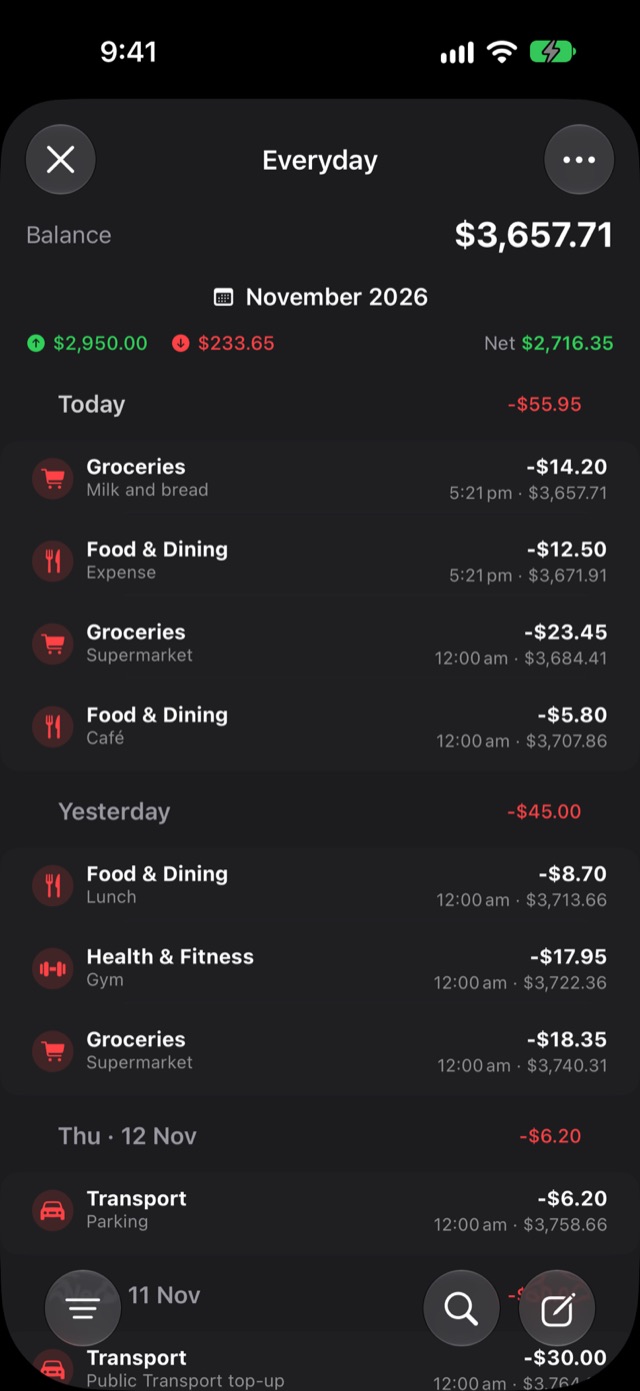
Tap an account to see its transactions, newest first, each with the balance after it. Tap any transaction to edit it.
See what it did to your budget
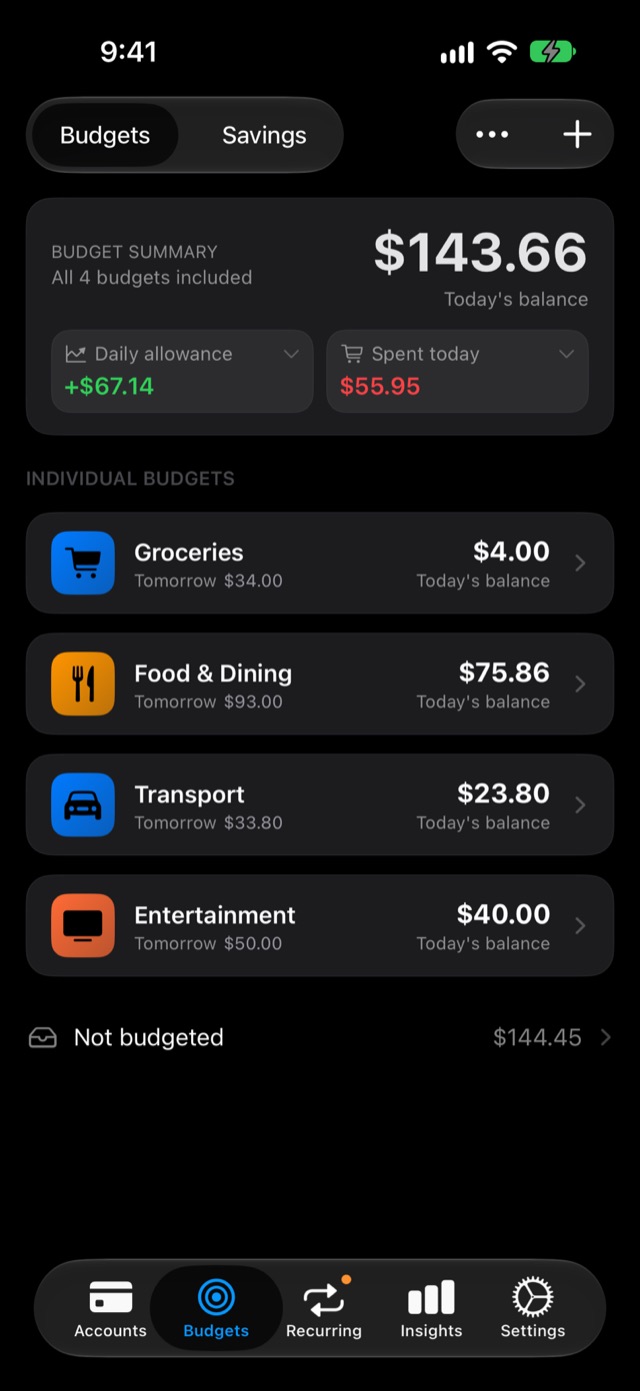
Open Budgets. Spent today has gone up, and the budget for that category now shows a lower Today's balance.
What to do next
Related tips and guides
Record it when you pay. Entries made on the spot are the ones you do not forget.
Want to know what the numbers mean? Read Today's balance explains the Budgets tab.
Splitting a bill? Split an expense shows how to track what others owe you.