 BudgetDaily
Split an expense and record the repayment
When you pay for other people, only your share is your spending. BudgetDaily keeps the rest as money owed to you until it is paid back.
Step by step
One screen at a time
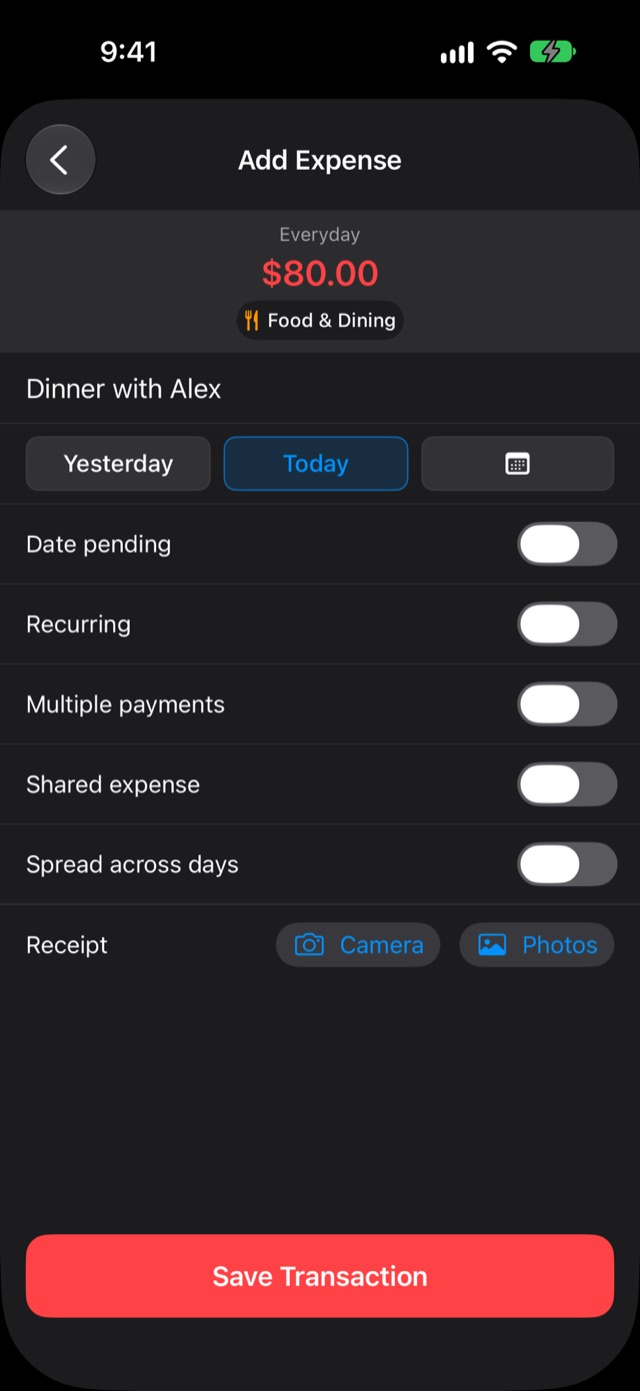
Enter the full amount you paid
On Accounts, tap the minus on the account you paid from and type the whole bill. Press and hold the category to open the full form, and add a note so you recognise it later.
Turn on Shared expense
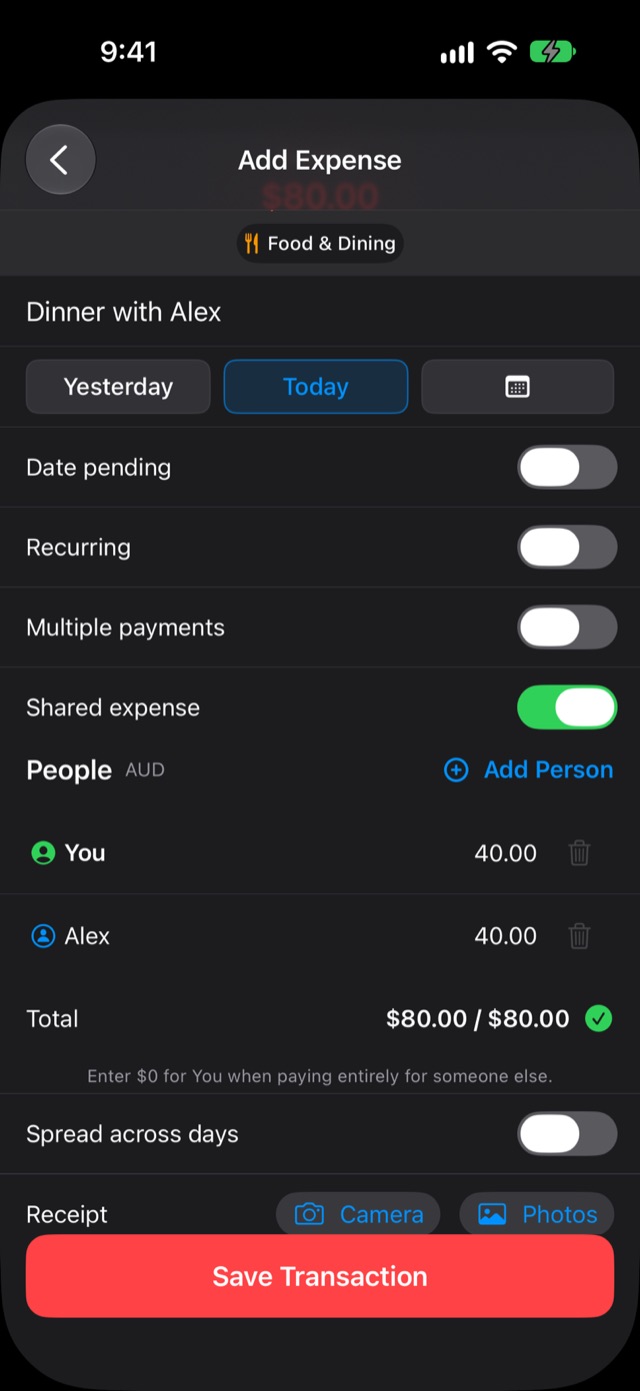
Switch on Shared expense. Enter your own share, then each person's name and share. Tap Add Person for more people.
The shares have to add up to the total. If you paid entirely for someone else, enter 0 for You.
Tap Save Transaction.
Look for the owed button on Accounts
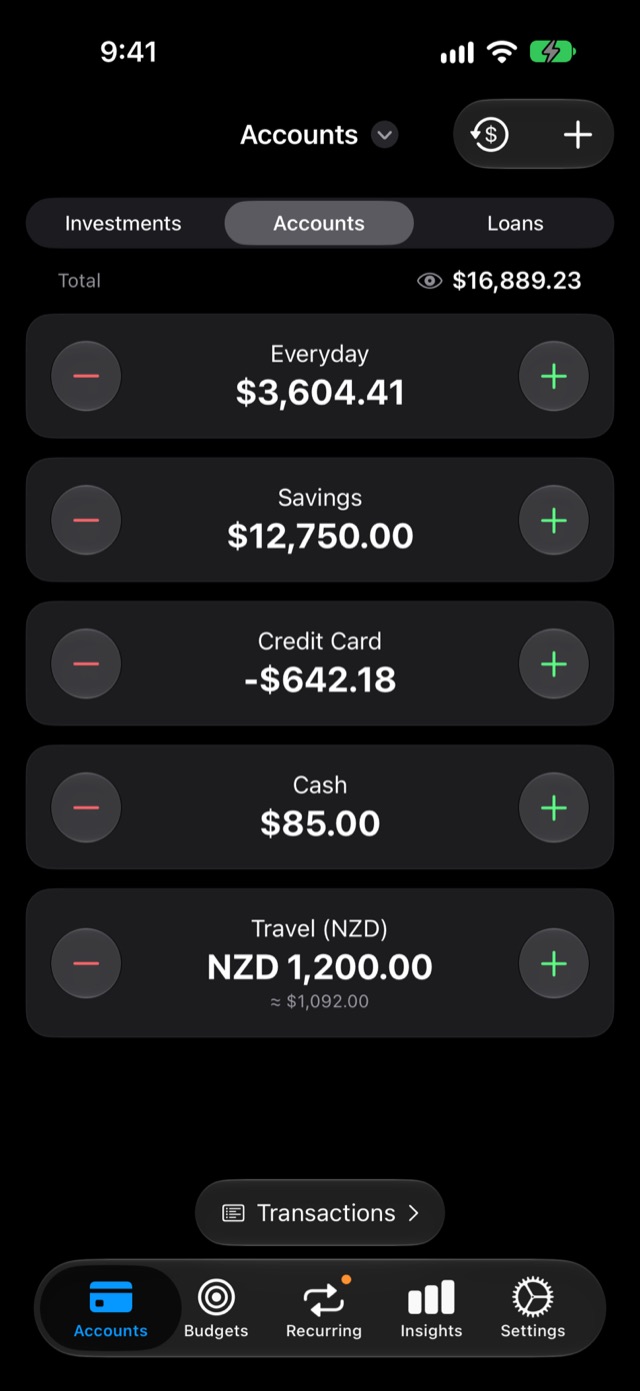
The full amount has left your account, because that is what you paid. A new button appears at the top of Accounts while anyone owes you money. Tap it.
See who owes you
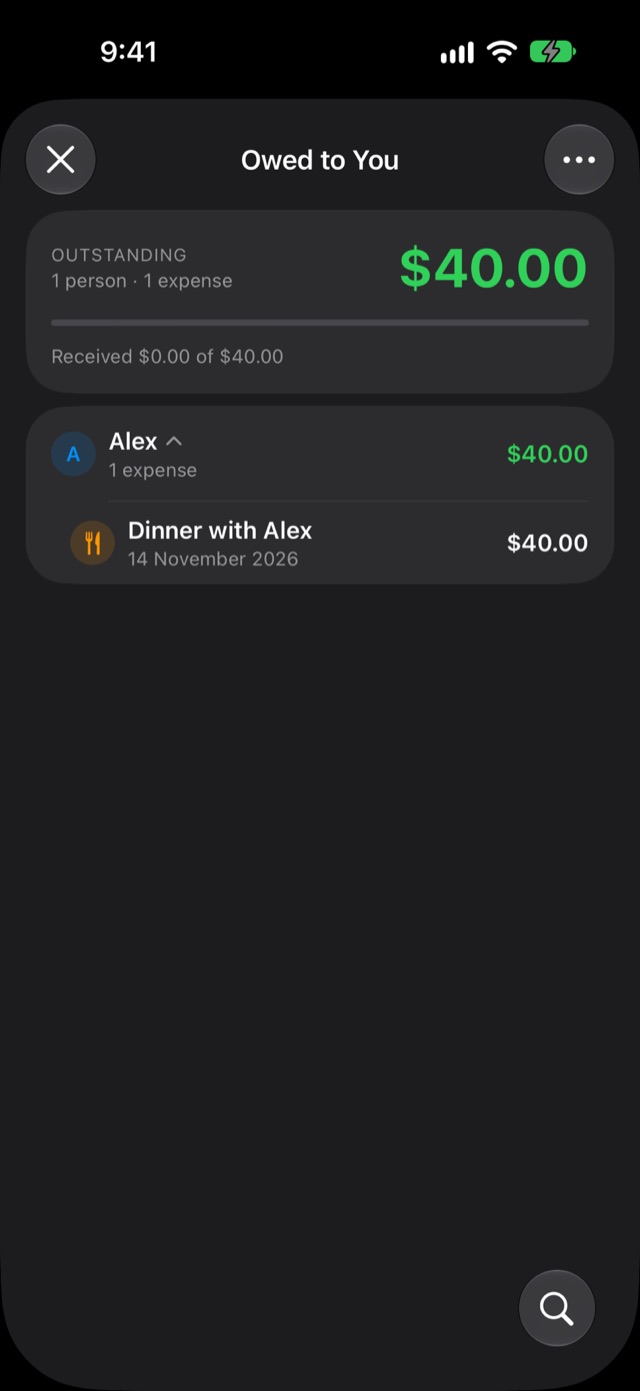
Owed to You lists each person, what they owe, and the expenses it came from.
Tap the expense when they pay
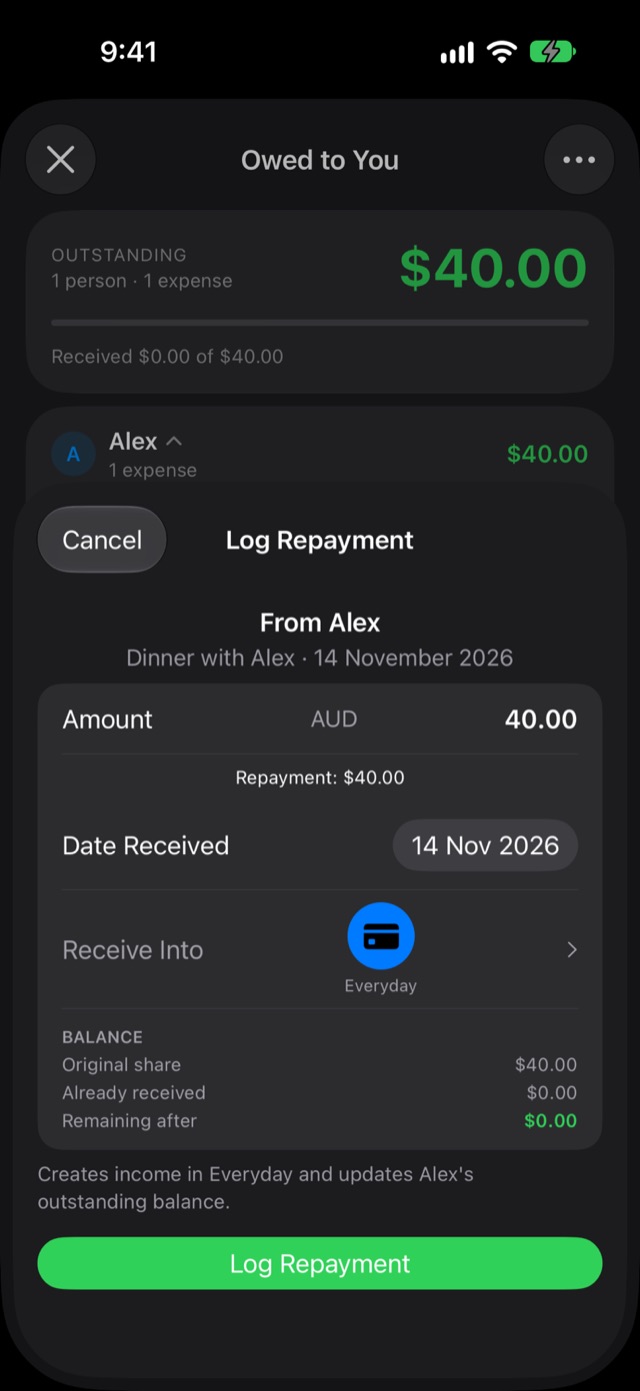
Check the amount (change it for a part payment), the date, and the account the money arrived in. Tap Log Repayment.
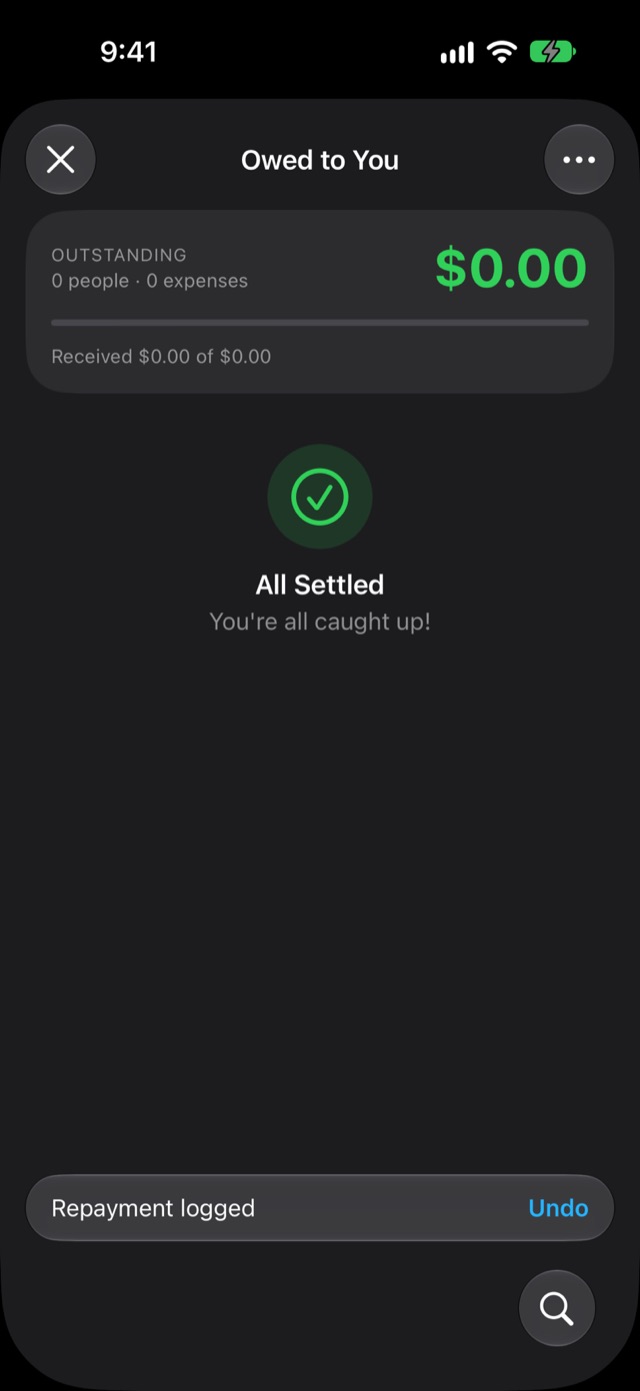
All settled
The repayment is added to your account as money in, and the person drops off the list.
What to do next
Related tips and guides
Only your share counts against your budget. The rest is tracked as owed, not as your spending.
Waiting on a shop, not a friend? Track a refund covers money a business owes you.
A regular shared bill? Turn on both Recurring and Shared expense when you create it.