 BudgetDaily
Track a refund you are waiting on
Returned something? Record the refund against the original expense so you can see it is still owed, and so your budget gets the money back when it arrives.
Step by step
One screen at a time
Open the account you paid from
On Accounts, tap the account and find the expense that is being refunded.
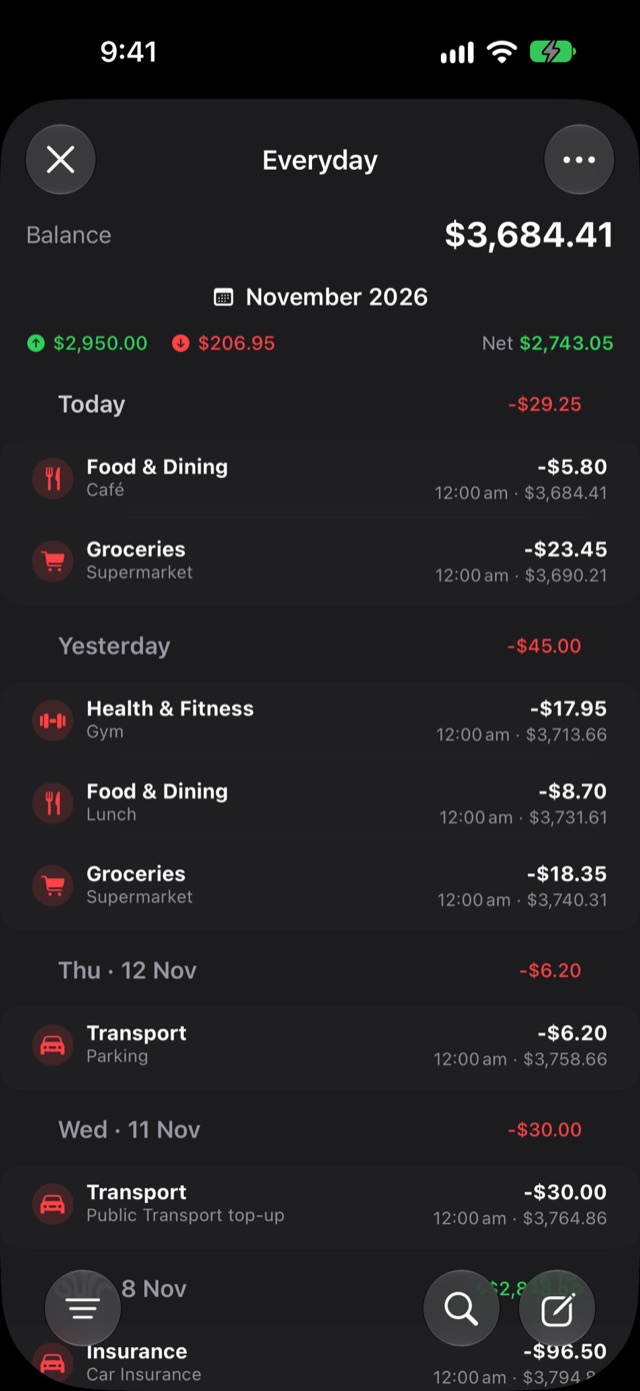
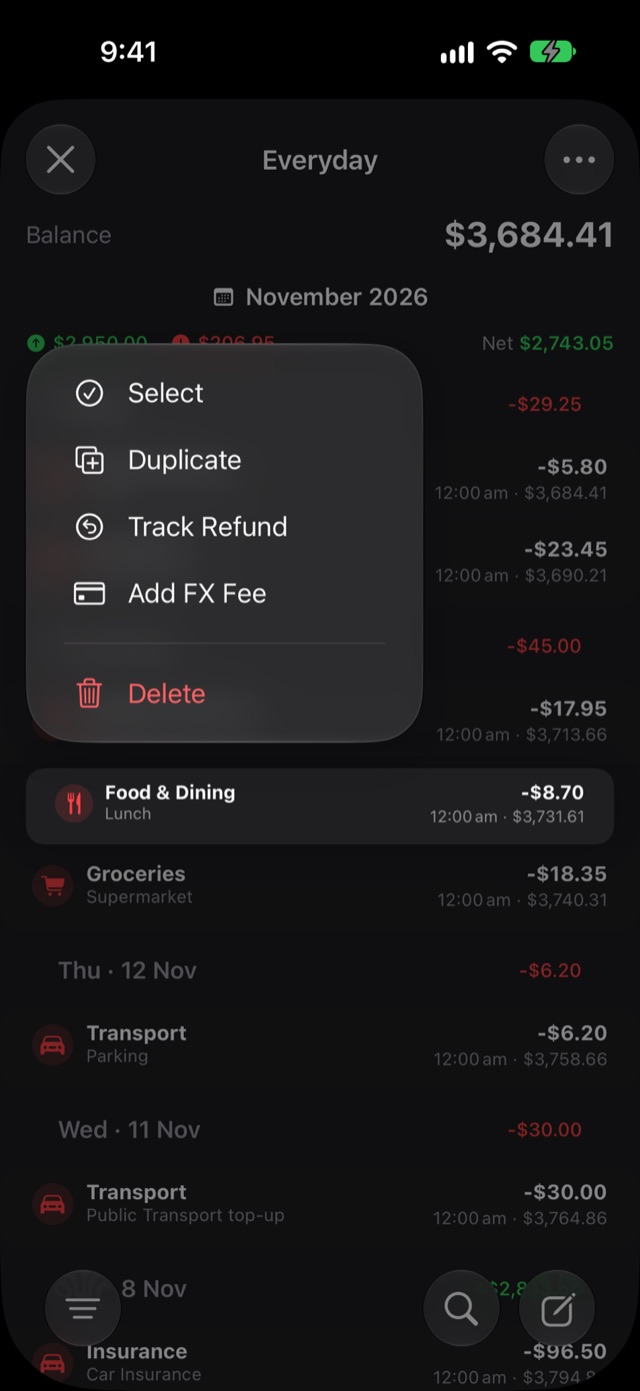
Press and hold the expense
A menu opens. Tap Track Refund.
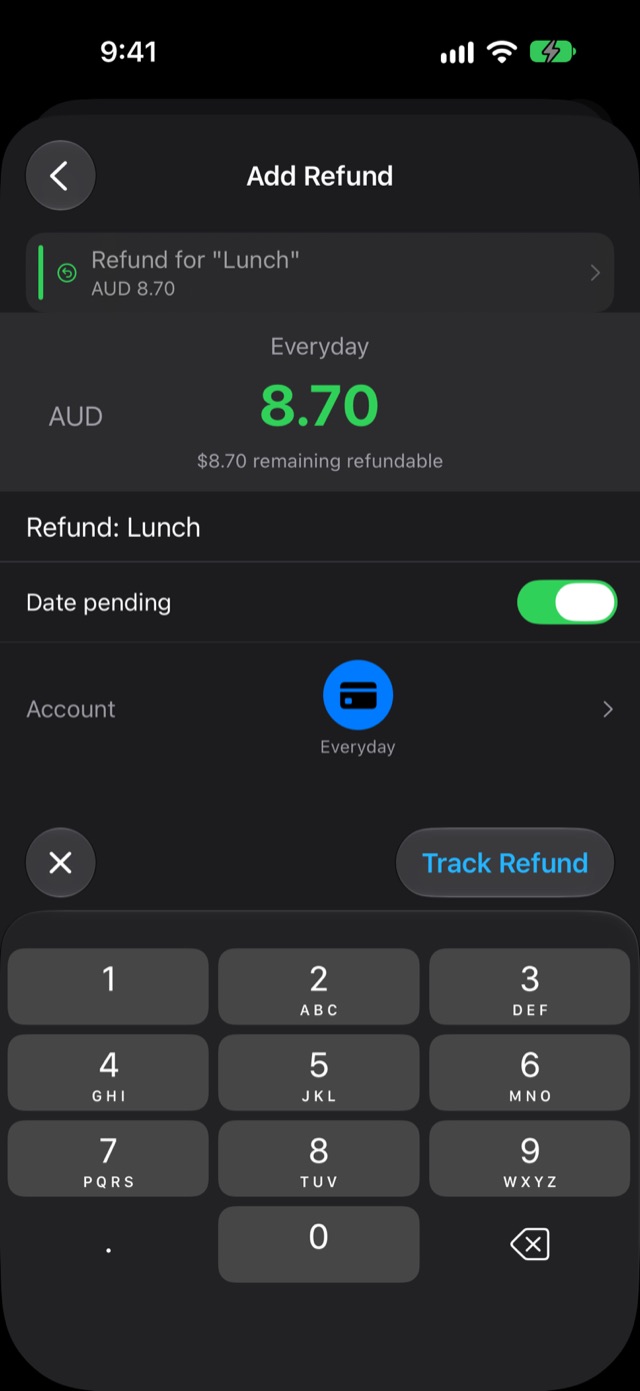
Check the amount
The full amount is filled in. Change it if only part is coming back.
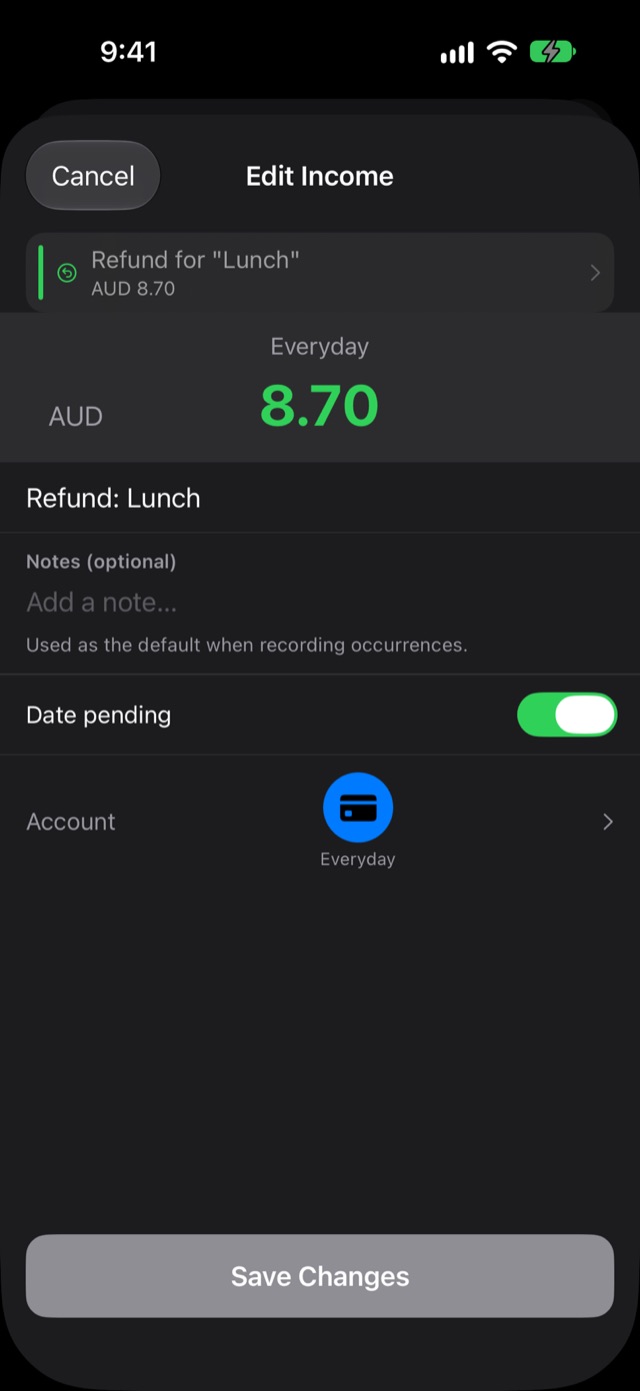
Date pending is on, which means you are still waiting for the money. Tap Track Refund.
The expense is marked
The expense now shows Refund expected. Your balance has not changed yet, because nothing has arrived. The small figure under the balance is what it will be once it does.
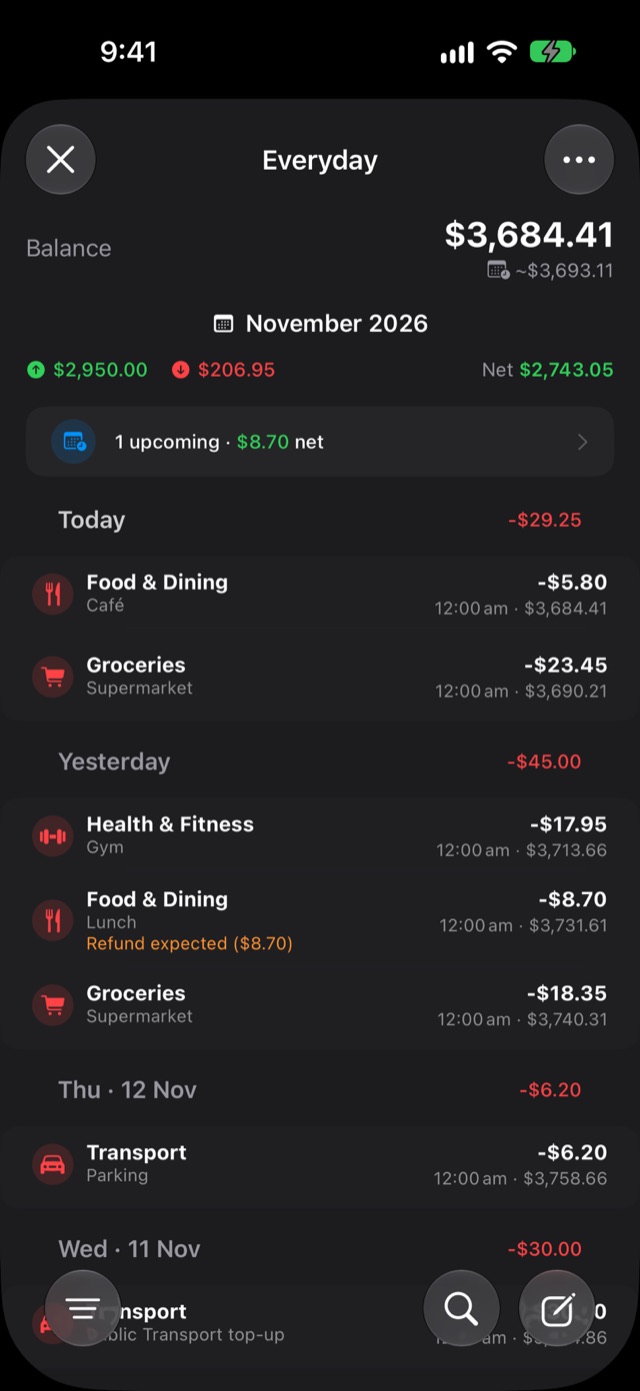
Find it under upcoming
Tap the upcoming row at the top of the account to see everything you are waiting on.

Record it when the money arrives
Tap the refund, switch off Date pending, choose the day it arrived, and tap Save Changes. The money is added to your account.
What to do next
Related tips and guides
Already have the money? Switch off Date pending in step 3 and the refund is recorded straight away.
A friend paying you back is different. Use Split an expense for that.
Balance still looks wrong? Reconcile an account helps you find the difference.