 BudgetDaily
Pay for one purchase in instalments
Buy now, pay later, a deposit and a balance, a bill paid in parts: when one purchase leaves your account on several dates, plan the payments instead of recording it all at once.
Step by step
One screen at a time
Enter the full price
On Accounts, tap the minus on the account the payments will come from and type the total. Press and hold the category to open the full form and add a note.
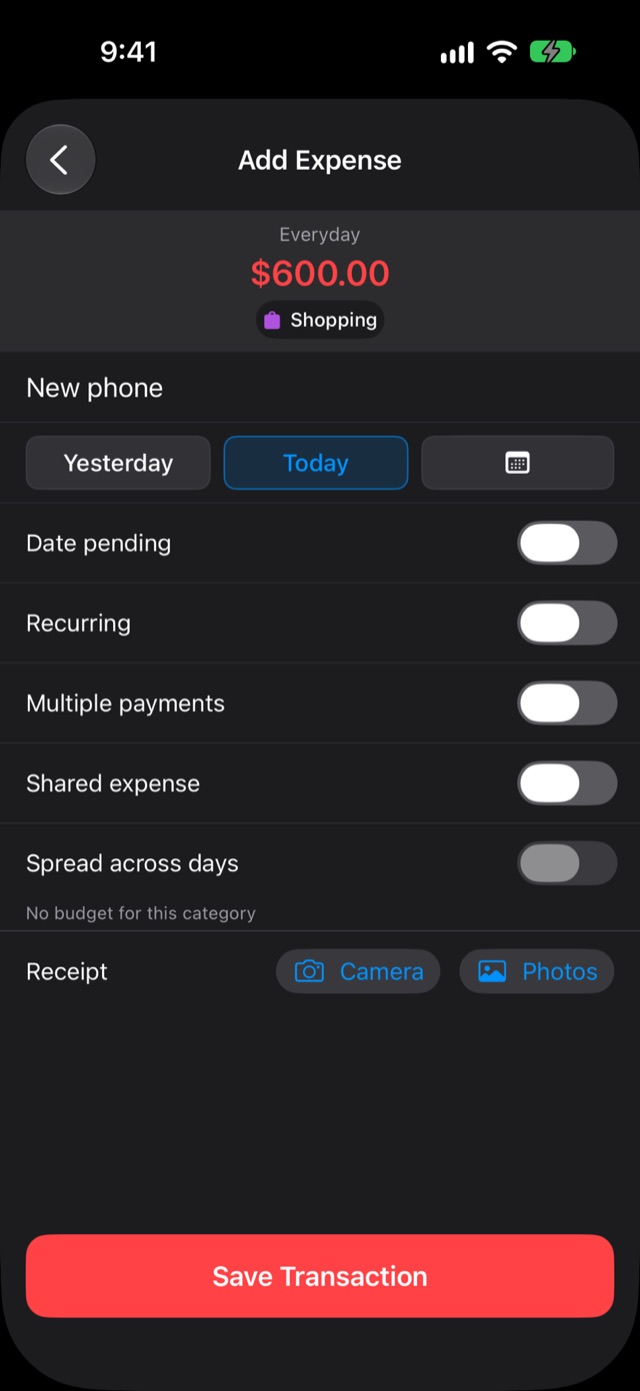
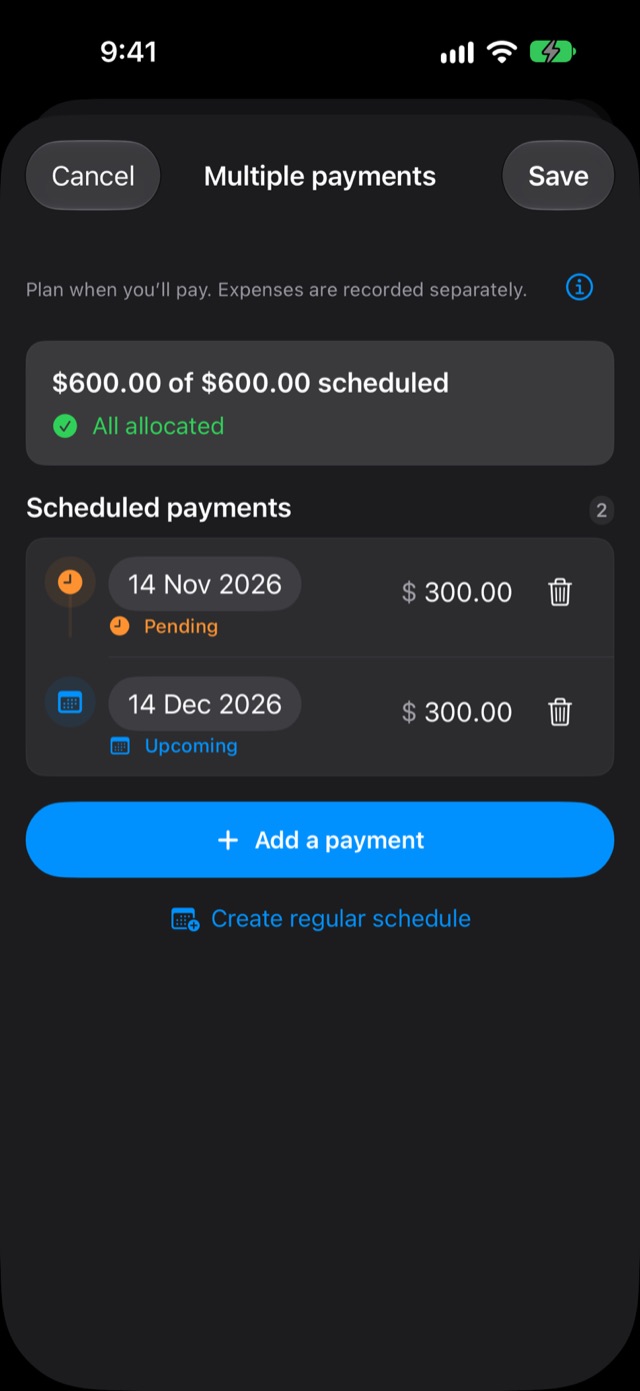
Turn on Multiple payments
BudgetDaily starts you with two equal payments. Change any date or amount, tap Add a payment for more, or use Create regular schedule to set a number of payments a fixed number of days apart.
The amounts have to add up to the total. Tap Save.
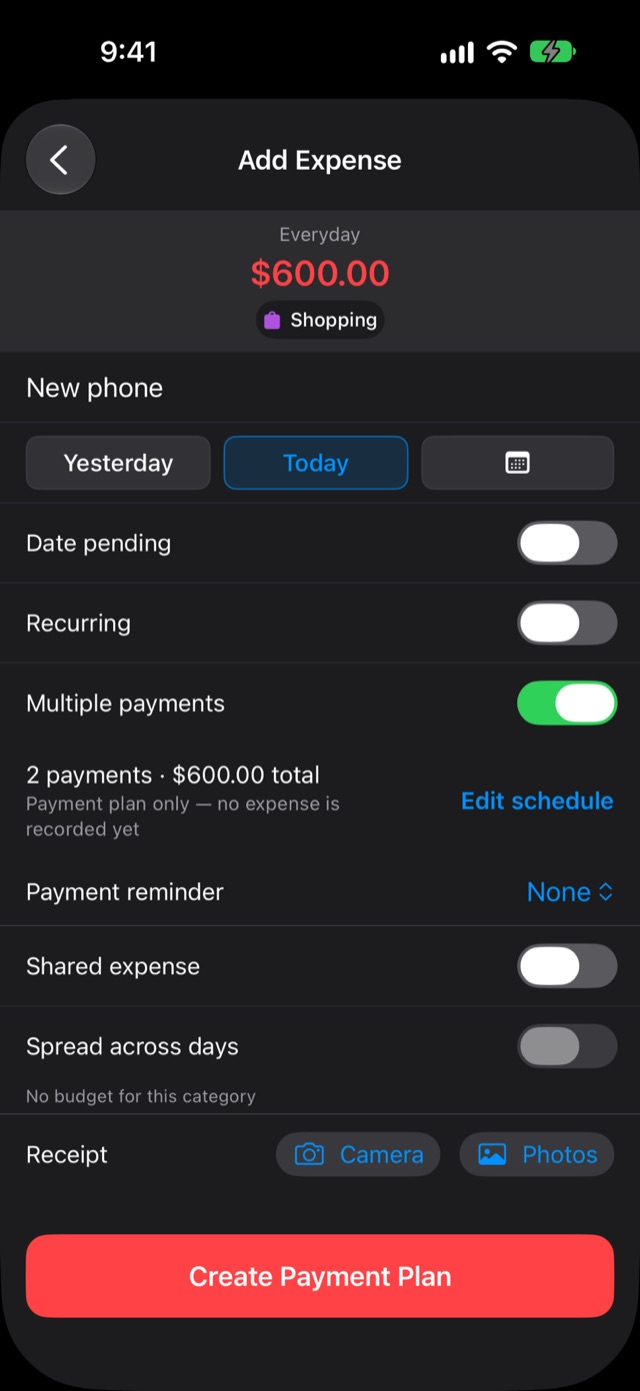
Create the plan
The form now shows a summary of the plan. Nothing is recorded as spent yet; each payment becomes an expense only when you confirm it.
Tap Create Payment Plan.
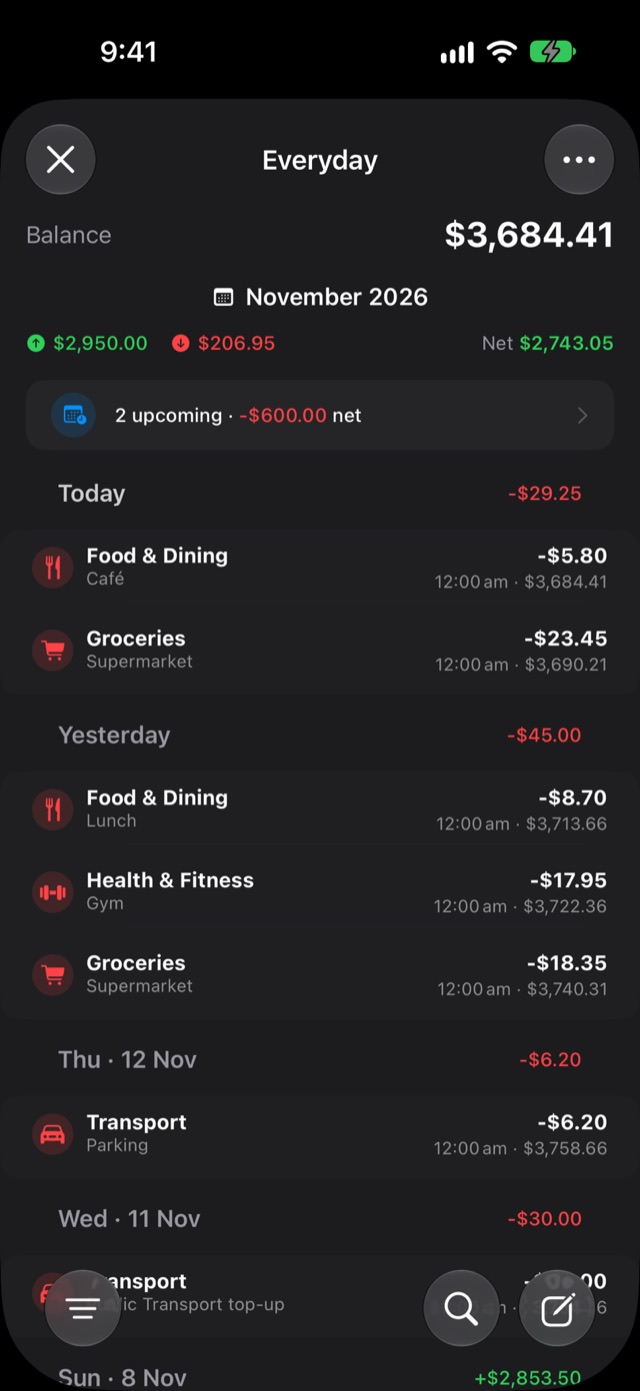
The account shows what is coming
Your balance has not changed. A row at the top of the account shows how many payments are still to come. Tap it.
Confirm each payment as it happens
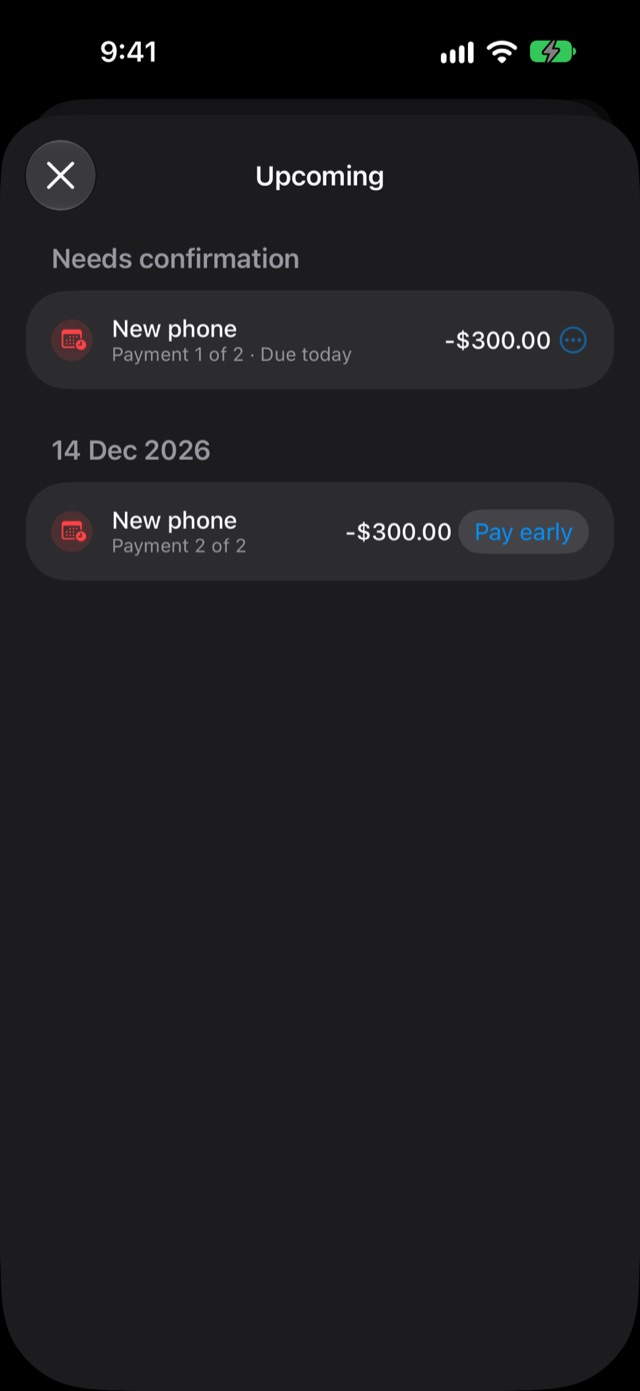
A payment that is due appears under Needs confirmation. Tap it to record it. If you pay one ahead of time, tap Pay early.
What to do next
Related tips and guides
Already recorded a payment as a normal expense? Open the plan and choose Link Existing Transaction so it is not counted twice.
Want a reminder? Set Payment reminder on the form before creating the plan.
A bill that repeats forever is different. See Set up bills and confirm them when due.