 BudgetDaily
Read Today's balance
The Budgets tab answers one question: how much can I spend today and still be on pace? Here is how to read every number on it.
Watch it
A recording of the real app with sample data. No sound.
- The summary at the top
- Daily allowance, budget by budget
- What you spent today
- One budget, day by day
- Tomorrow
Step by step
One screen at a time
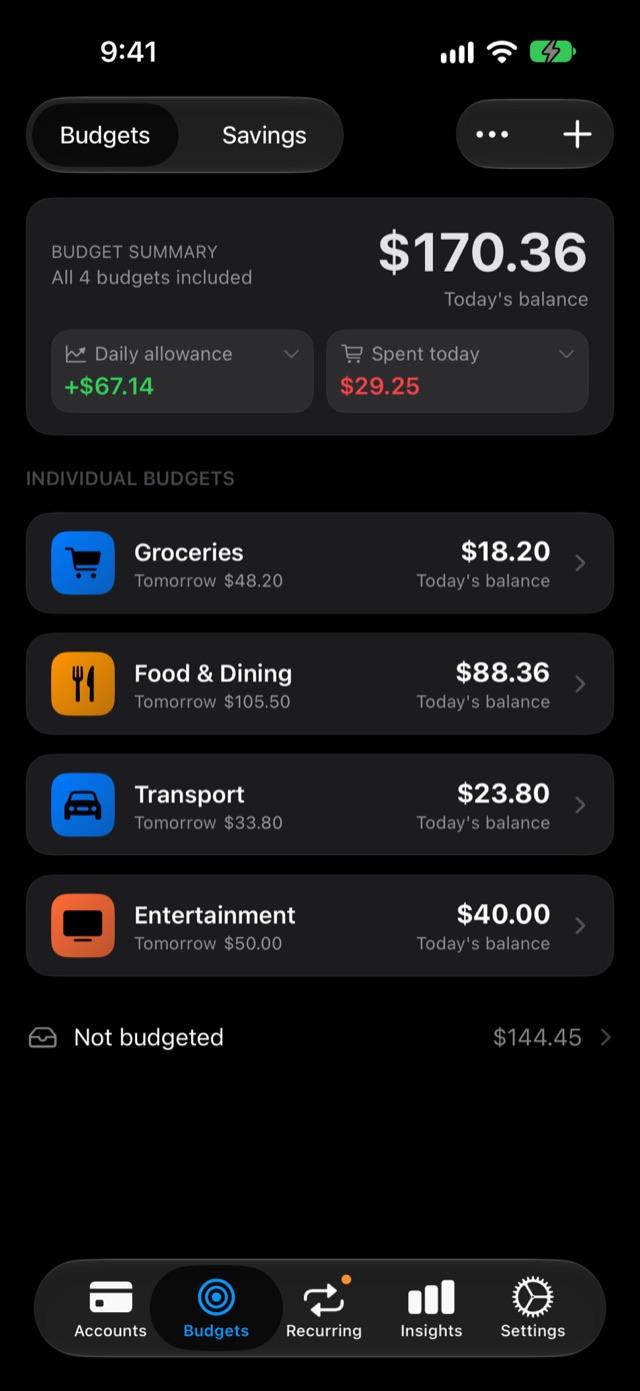
Start with Today's balance
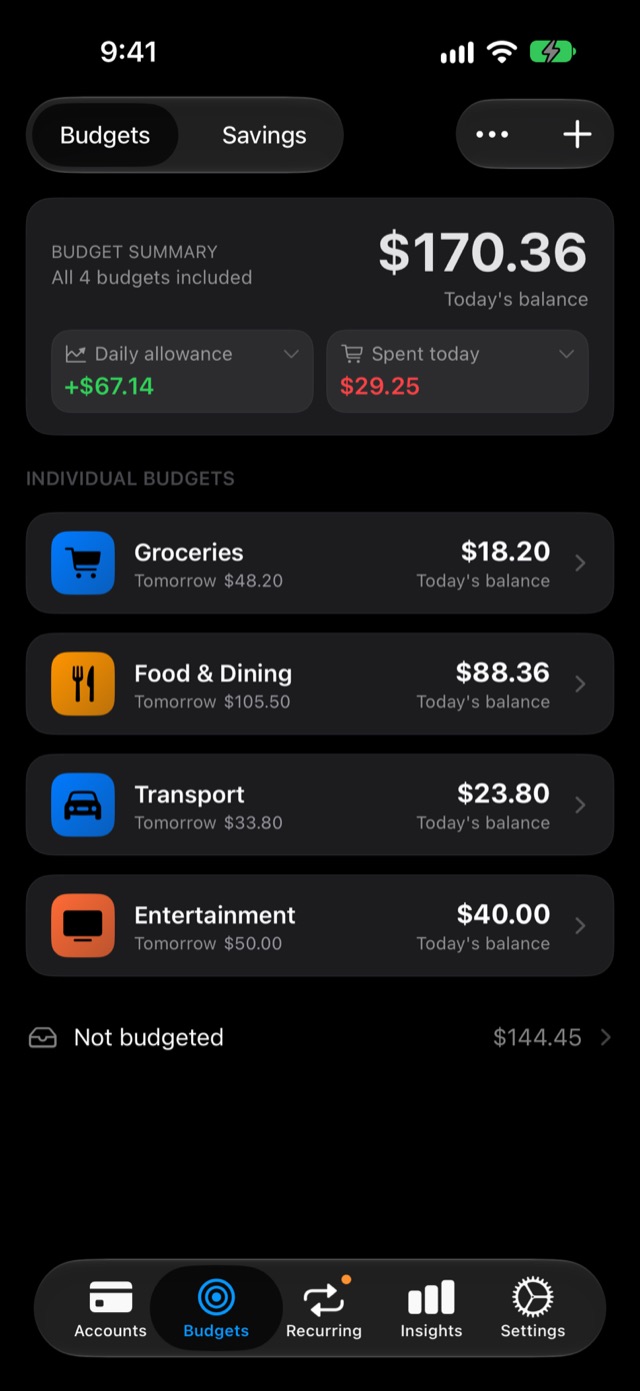
The large figure at the top is Today's balance across every budget included in the summary. It is what you can spend today without falling behind.
It is a planning guide. The money itself lives in Accounts.
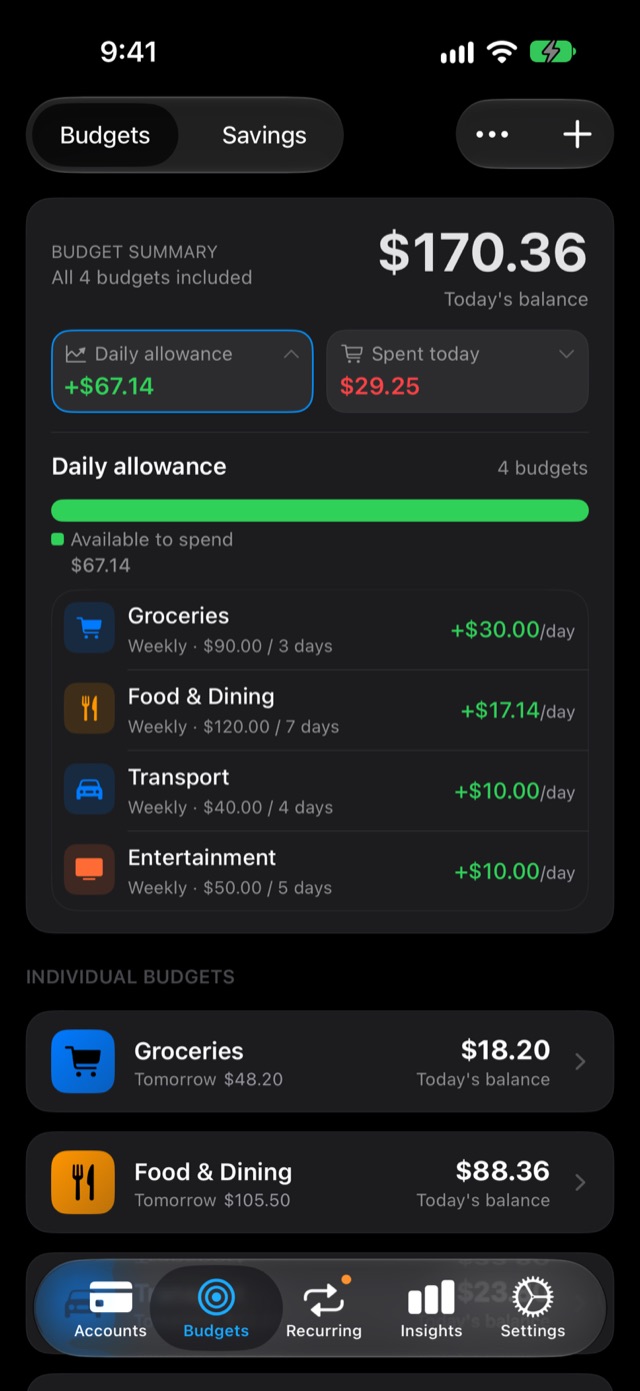
Open Daily allowance
Tap Daily allowance. This is what your budgets add to Today's balance each day, broken down by budget. Tap it again to close.
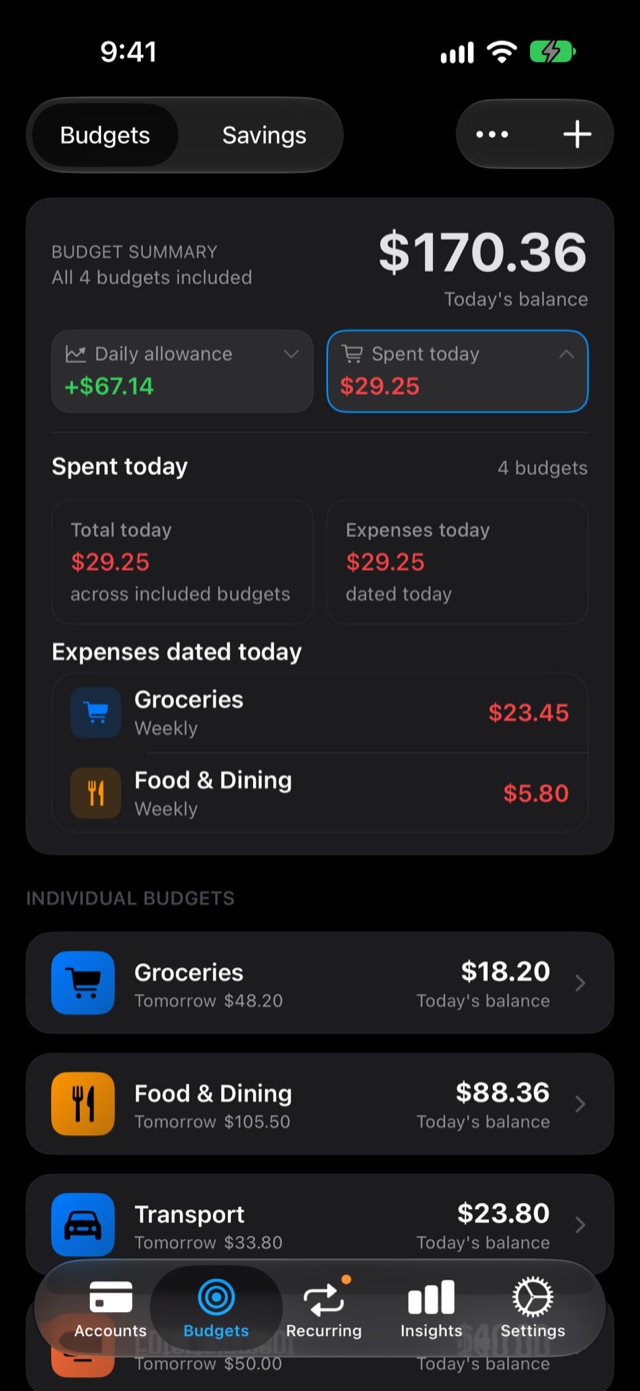
Open Spent today
Tap Spent today to see which budgets today's spending came out of.
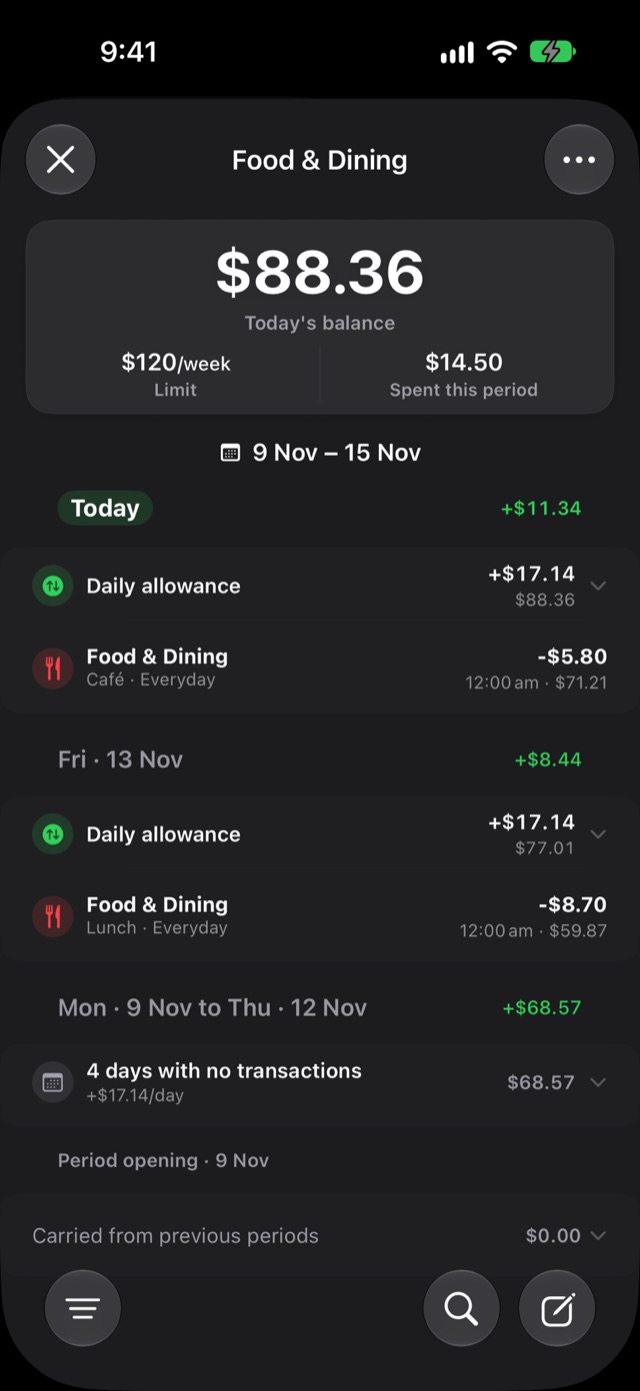
Tap a budget to see its days
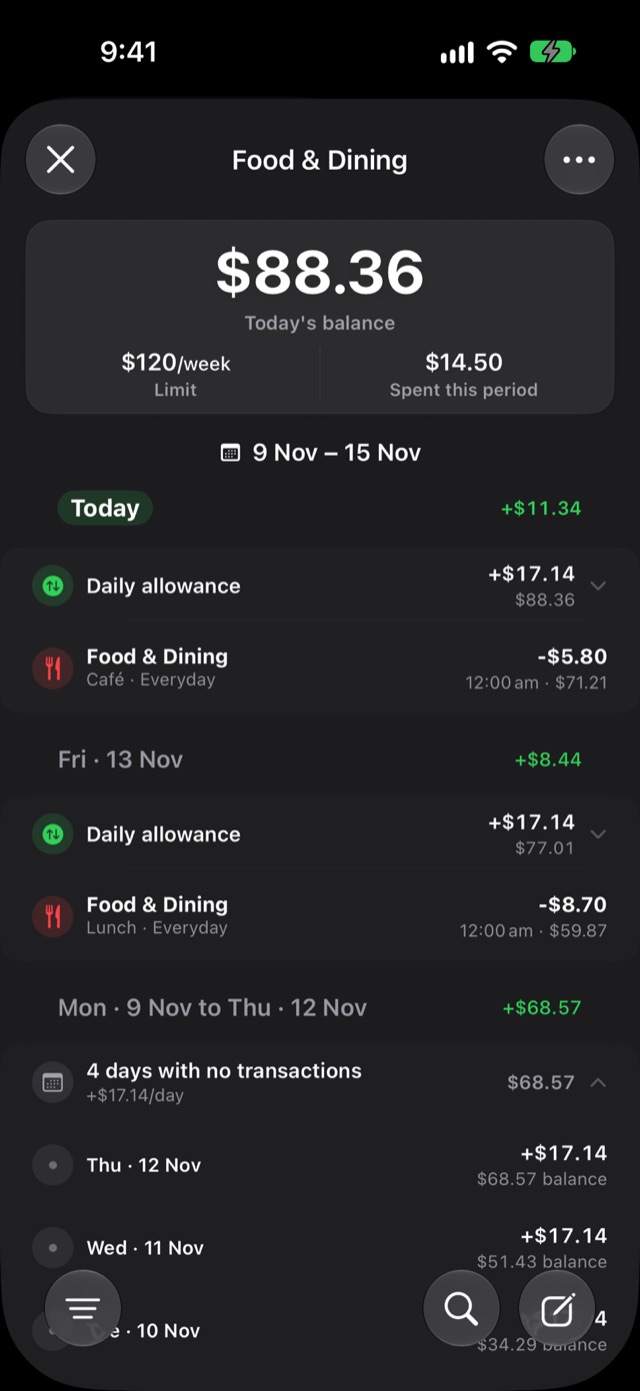
Each budget has its own Today's balance, its limit, and what you have spent this period.
Below that is a day-by-day list. Every day starts by adding the daily allowance, then subtracts what you spent. The small figure under each line is the balance after it.
Expand the quiet days
Days with no spending are grouped into one line to keep the list short. Tap the group to see each day and how the balance built up.
This is the idea behind the app. A day you spend nothing is a day the allowance carries forward.
Look at Tomorrow
Back on the list, each budget shows Tomorrow: what its balance will be tomorrow if you spend nothing more today. Use it to decide whether something can wait a day.
What to do next
Related tips and guides
A negative balance is information. It means you are ahead of your pace. Spend less for a few days and the daily allowance brings it back.
See spending no budget covers. Find spending with no budget explains the Not budgeted row.
Want the ideas behind it? Getting Started covers the daily method in more depth.